
This guide gets a brand-new Volunteer Examiner set up in ExamTools. By the end you will have an account, your VEC accreditation confirmed, and your signature profile ready — everything needed to join a session and start proctoring.
Prerequisites
Before you start, make sure you have:
- Your FCC callsign (you must already be a licensed amateur radio operator)
- A device with a modern web browser (supported browsers)
Step 1: Create your account
Create your ExamTools account →
Step 2: Verify your callsign
Callsign verification is required before you can join sessions or sign forms. You will need your Official License Copy PDF from the FCC ULS.
Step 3: Confirm your VEC accreditation
Your VEC accreditation appears automatically on your profile once your VEC processes it — you do not add it yourself. This step confirms it is showing correctly before your first session.
Confirm your VEC accreditation →
Step 4: Add your signature
ExamTools uses a digital signature for NCVEC Form 605 and exam certificates. You need to set this up before you can sign anything in a session.
Verify you’re ready
After completing these steps, visit your profile at exam.tools/me. You should see:
- Your callsign and name displayed correctly
- Your VEC accreditation listed
- A signature preview
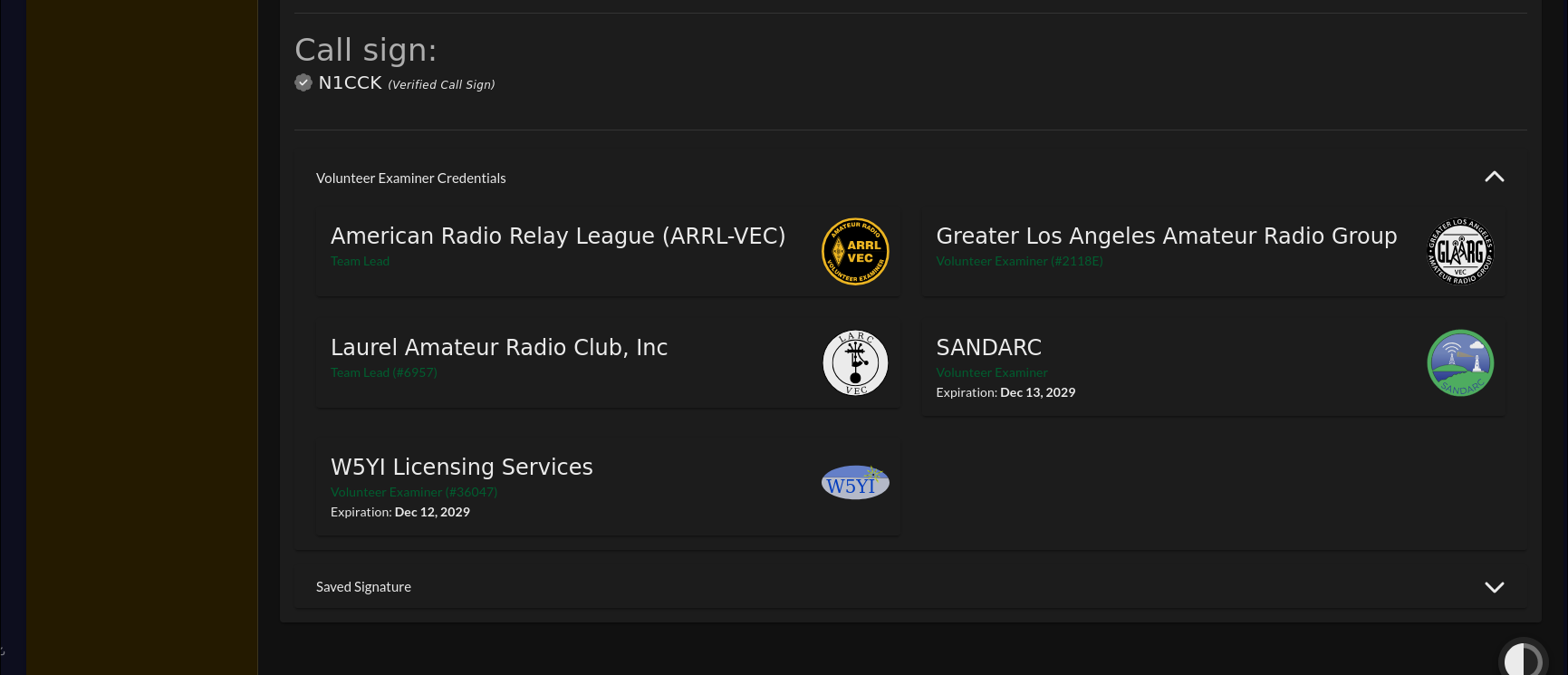
If all three are present, you’re ready to join a session.
Next steps
- Tell your team lead you’re set up. They will add you to upcoming sessions.
- Learn what happens on exam day →
- Explore the sandbox environment →