
Team lead status in ExamTools comes from your VEC — it is part of your VE accreditation, not something you set up inside ExamTools itself. This page explains how to confirm you have it and what to do if you don’t.
Prerequisites
- A verified ExamTools account
- VE accreditation from a VEC
Check whether you already have team lead status
Sign in to exam.tools.
Go to your Profile (upper left navigation).
Expand Volunteer Examiner Credentials by clicking the arrow on the right.
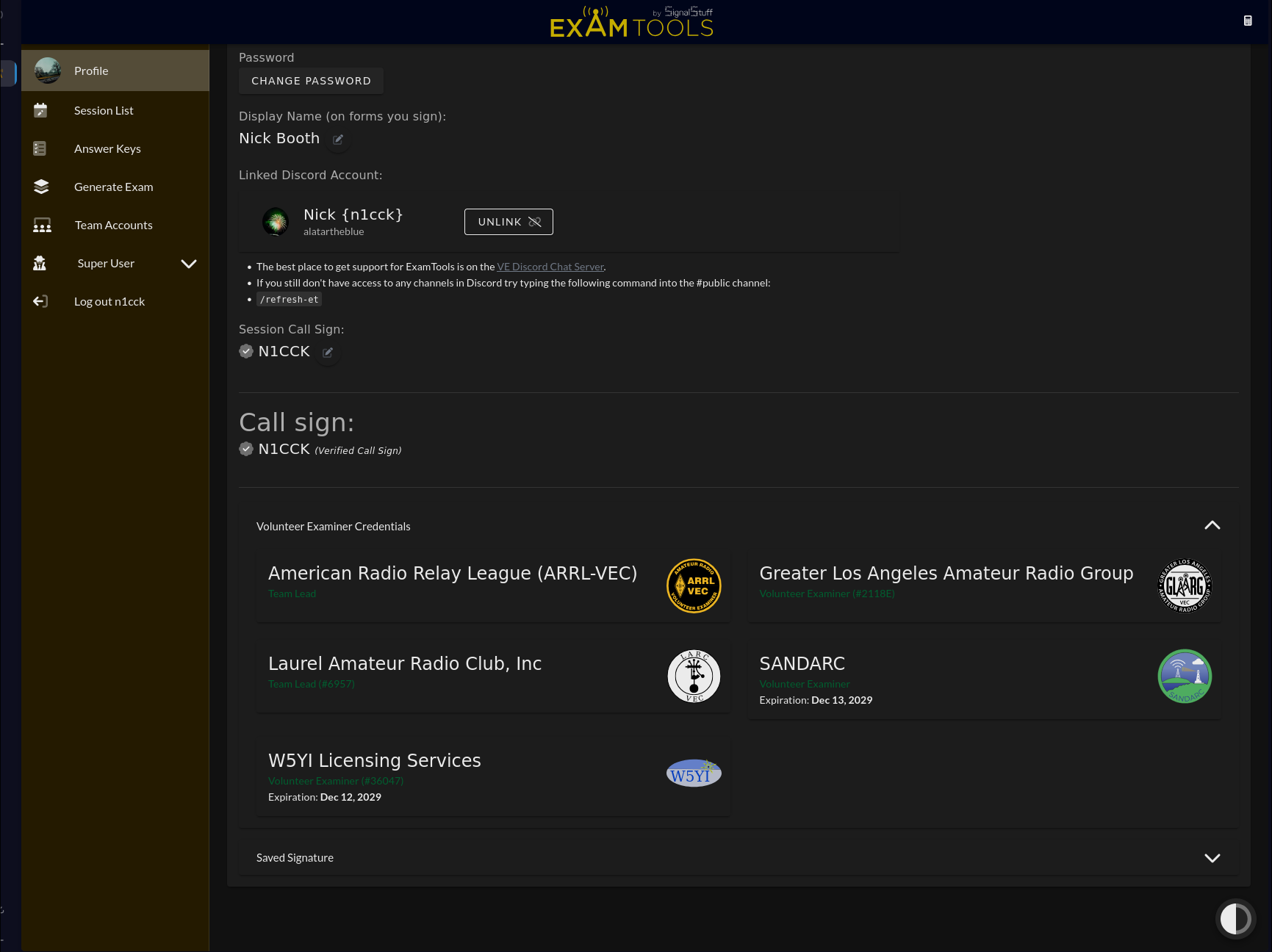
Look at what your VEC credential says. You need to see Team Lead next to the VEC you plan to run sessions under.
- Team Lead — you are ready to create a team and schedule sessions.
- Volunteer Examiner — you have VE accreditation but not team lead privileges yet.
If you only see “Volunteer Examiner”
Contact your VEC and ask them to grant you team lead (session manager) status. ExamTools syncs VEC records every 4 hours, but VECs update on their own schedule — allow up to 24–48 hours after your VEC confirms the change before expecting it to appear.
ExamTools staff do not grant team lead status. This must come from your VEC.
Before running your first session
Once you have team lead status confirmed, the recommended steps are:
- Create your team →
- Set up your sandbox account and practice running a session there before going live.
- Ask in the appropriate VEC channel on the ExamTools Discord to shadow another team running live exams.
- When you feel ready, create your first real session in the production environment.